

Introduction
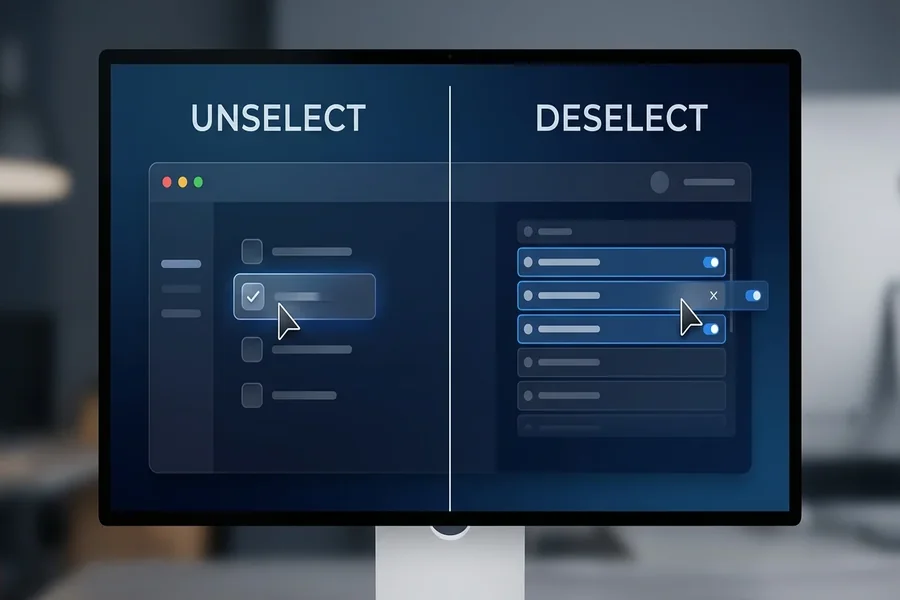
The words “Deselect” and “Unselect” are commonly seen in digital applications and computer interfaces. Both terms are connected to removing a selection or changing an existing choice. However many people are unsure whether these words have exactly the same meaning or whether one is more appropriate than the other.
When using computers and mobile devices people regularly select options and change their decisions. They might select a checkbox on a website or choose an item from a list. Later they may decide to remove that choice. This is where the terms deselect and unselect become useful.
Although both words can communicate a similar idea their usage is not always identical. Deselect is the more widely established term in professional writing and user interface design. Unselect is also understandable but it is less common in formal contexts.
Understanding these words can make communication clearer. It can also help website owners and software developers create better instructions for their users.
In this guide we will explain what deselect and unselect mean and how they are used in everyday situations. We will also discuss their differences and provide practical examples to help readers choose the right word.
What Does Deselect Mean?
Deselect means removing a selection that was previously made. It is commonly used when someone wants to cancel a chosen option or return an item to an unselected state.
For example imagine opening a website with several checkboxes. You select one checkbox because you want to receive email notifications. Later you change your mind and click the same checkbox again to remove the selection.
This action is called deselecting the checkbox.
The term is widely used in computer software and digital interfaces. It appears in instructions for applications and websites as well as image editing programs and document tools.
Deselect can also describe actions outside computers. Someone might deselect a candidate from a list or remove a previously chosen option during a decision-making process.
The word is formed by adding the prefix “de-” to “select.” In this context the prefix communicates reversal or removal of an earlier action.
Here are some simple examples:
- Deselect the checkbox if you do not want notifications.
- You can deselect an item before submitting the form.
- Click the selected image again to deselect it.
- Deselect all unnecessary options before continuing.
These examples show that deselect is a useful word whenever an existing selection needs to be removed.
What Does Unselect Mean?
Unselect is another term used to describe removing a selection. It generally means changing something from selected to not selected.
For example a user might click a checkbox to select an option. If the user changes their mind they may click it again to unselect that option.
The meaning is easy to understand because the prefix “un-” often communicates reversal or the opposite of an action.
The word appears in everyday conversations and some digital environments. However it is less common than deselect in formal writing and professional user interface instructions.
Consider these examples:
- Unselect the option if you no longer need it.
- Please unselect the items you do not want.
- You can unselect a category before saving your changes.
- Unselect the highlighted choice to continue.
Although these sentences are understandable many professional writers and software designers prefer using deselect.
Unselect is not necessarily incorrect. It is simply less established in many formal contexts.
The best choice depends on the audience and the type of communication. For professional documentation and software instructions deselect is usually the safer option.
Deselect or Unselect: What Is the Difference?
Deselect and unselect have very similar meanings. Both can describe removing an existing selection. However there are differences in how frequently they are used and how natural they sound in different situations.
Deselect is widely accepted in technical writing and software documentation. It is commonly used in applications where users need to change selected options.
Unselect is also understandable but it is less common in professional communication.
The difference becomes clearer when looking at practical examples.
| Situation | Preferred wording |
|---|---|
| Removing a checkbox selection | Deselect |
| Removing a selected image | Deselect |
| Writing software instructions | Deselect |
| Casual conversation | Unselect or deselect |
| Professional documentation | Deselect |
| Changing a selected menu option | Deselect |
One reason deselect is preferred is its established use in technology. Many software applications and help guides use this term when explaining how users can remove selections.
Unselect may sound natural to some people because it follows a familiar word-building pattern. However familiarity does not always make a term the best choice for formal writing.
For consistent and professional communication deselect is generally recommended.
When Should You Use Deselect?
Deselect is the better choice in most situations where a person needs to remove a previously selected option.
It is particularly useful in digital environments. Websites and applications frequently allow users to select multiple items and change those choices whenever necessary.
For example an online shopping website may display several product categories. A customer can select multiple categories to filter search results. If the customer no longer wants one category they can deselect it.
Another common example is a registration form. A user may select an option to receive promotional emails. If the user changes their mind they can deselect the checkbox before submitting the form.
Deselect is also useful in image editing software. Designers often select different objects and remove those selections after completing an editing task.
The word can be used in instructions and professional communication.
Examples include:
- Deselect the unwanted files before downloading.
- Deselect the checkbox to disable automatic updates.
- Deselect the current option and choose another one.
- Deselect the highlighted text before making further changes.
Using deselect in these situations creates clear and direct instructions.
When Is Unselect Appropriate?
Unselect can be used when the meaning is clear and the communication does not require formal technical language.
Some people naturally use unselect because it follows the common English pattern of adding “un-” to a word to indicate the opposite action.
For example people may say “unselect the option” during casual conversations about computers or mobile applications.
It can also appear in informal instructions and discussions between colleagues.
However it is important to consider the audience. If you are writing a professional software manual or creating instructions for a large website then deselect is generally more suitable.
Using less familiar terminology can sometimes confuse readers. Consistent language helps people understand what an application expects them to do.
If your organization already uses unselect throughout its interface it may be reasonable to maintain that wording for consistency. However when starting a new project deselect is usually the stronger choice.
The main goal is to communicate the action clearly without making instructions unnecessarily complicated.
Deselect in Computers and Digital Applications
Deselect is especially important in computer environments because users regularly interact with selected items.
A computer interface often contains buttons and checkboxes as well as menus and lists. These elements allow users to make choices and change them whenever necessary.
In a file management application users might select several documents before copying or deleting them. If they accidentally select the wrong file they can deselect it without changing the other selections.
In a photo editing program users may select a specific area of an image. After completing the editing process they can deselect the area to return to normal viewing.
The same action is common in spreadsheet software. A user may select a cell or range of cells before applying formatting. Deselecting helps remove the active selection when the task is complete.
Modern applications often provide different ways to deselect something.
For example users may be able to:
- Click an already selected checkbox.
- Click an empty area of the screen.
- Press the Escape key.
- Choose a deselect command from a menu.
- Select another item to replace the previous selection.
The exact method depends on the application and the type of selection.
Understanding this action helps users work more efficiently and avoid accidental changes.
Common Examples of Deselect and Unselect in Everyday Life
The words deselect and unselect are not limited to professional software development. They can also be used in everyday situations where people make and change choices.
Consider an online shopping experience. A customer may select a product color before adding an item to the cart. If they decide that another color is better they can remove the original selection.
A similar situation happens when booking airline tickets. Passengers may select additional services such as extra baggage or preferred seating. They can remove an optional service before completing their purchase.
Online surveys also provide useful examples. Participants may choose several answers and then remove options that no longer represent their opinions.
In educational platforms students sometimes select answers before submitting a quiz. If they notice a mistake they can change or deselect their earlier choice depending on how the platform works.
Social media applications offer another familiar example. Users may select interests and content preferences when creating an account. They can later remove certain preferences to adjust their experience.
Here are additional examples:
Shopping: Deselect the product option you no longer want.
Education: Deselect the incorrect answer before submitting your quiz.
Travel: Deselect the additional baggage service if you do not need it.
Email: Deselect the promotional subscription checkbox.
Design: Deselect the selected object after editing.
These situations demonstrate why understanding the correct term can be useful in everyday digital communication.
Common Mistakes When Using Deselect or Unselect
Although both terms are easy to understand people sometimes use them incorrectly or confuse them with related words.
One common mistake is assuming that select and deselect describe the same action. They represent opposite actions. Select means choosing an item while deselect means removing an existing selection.
Another mistake is using deselect when the user has not selected anything in the first place. If an item is already unselected there is no selection to remove.
For example saying “deselect the empty checkbox” may be confusing because the checkbox is not selected.
Another common issue involves mixing deselect with delete. These words have very different meanings.
Deselect means removing a selection. Delete means permanently removing or erasing an item from a particular location.
For example if you deselect a photograph it remains available in the application. If you delete the photograph it may be removed from the device or storage location.
Some people also use unselect in formal instructions without considering whether the audience is familiar with the term.
Although unselect is understandable deselect is generally more appropriate for professional writing.
To avoid these mistakes always consider the action you want the user to perform. Choose words that describe the intended result accurately.
How to Write Clear Instructions Using Deselect
Clear instructions help users understand what they need to do without confusion. When writing website content or software documentation it is important to use simple and familiar language.
Deselect is a useful term because it describes a specific action. However the surrounding sentence should also explain what happens after the selection is removed.
For example instead of writing “Deselect it” you can write “Deselect the checkbox if you do not want to receive promotional emails.”
The second sentence provides more information and helps users understand the purpose of the action.
Here are several ways to improve your instructions:
Use direct language: Write “Deselect the unwanted option” instead of using a long and complicated sentence.
Explain the result: Tell users what will happen after they remove a selection.
Maintain consistency: Avoid switching between deselect and unselect throughout the same guide.
Use familiar terminology: Choose words that most users already recognize.
Avoid unnecessary technical language: Simple instructions are often easier for beginners to follow.
These writing practices are useful for website owners and software developers as well as content creators.
Good instructions reduce confusion and help users complete tasks with greater confidence.
Final Thought
Deselect and unselect are two words that describe a similar action. Both can communicate the removal of a previously selected option. However they are not equally common in professional communication.
Deselect is the more widely accepted and established term. It is frequently used in software applications and technical documentation as well as website instructions.
Unselect is understandable and may be suitable for casual conversations. However it is generally less preferred in formal writing.
When creating professional content or explaining digital actions it is best to use deselect. This choice helps maintain consistency and makes instructions easier for a wider audience to understand.
The most important thing is to use language that communicates your meaning clearly. Once you understand the difference between these terms you can use them more confidently in everyday conversations and digital environments.
