

Introduction
Online gaming has become a popular form of entertainment for people of different ages and backgrounds. With thousands of games available across websites, computers and mobile applications, players have more choices than ever before. Whether someone enjoys strategy challenges, action adventures, puzzles or multiplayer competitions, there is an online game for almost every interest.
However, having so many options can also make choosing the right game difficult. Some games offer exciting features but require expensive subscriptions. Others may look attractive but provide limited gameplay or have complicated rules. There are also important factors such as security, privacy and age suitability that players should consider before getting started.
Choosing a suitable online game is not only about finding something entertaining. It is also about selecting an experience that matches your interests, available time and personal preferences. A well-designed game should be enjoyable without creating unnecessary pressure or financial concerns.
Before creating an account or downloading a new game, it is worth understanding what makes a gaming experience enjoyable and reliable. Checking the developer, reading player reviews and understanding the available features can help you make a better decision.
In this guide, we will discuss practical tips for choosing the best online games to play. These suggestions will help you compare different options and find games that provide entertainment while supporting a safe and balanced gaming experience.
1. Understand Your Gaming Interests and Preferences
The first step in choosing an online game is understanding what type of entertainment you enjoy. Every player has different interests. Some prefer fast-paced action while others enjoy games that require patience, creativity and strategic thinking.
Choosing a game based on your personal interests makes the experience more enjoyable. It also reduces the chances of spending time on something that does not match your expectations.
Start by considering the types of games you usually enjoy. If you like solving problems and completing challenges, puzzle and strategy games may be suitable. If you prefer exciting competition, multiplayer games could be a better option.
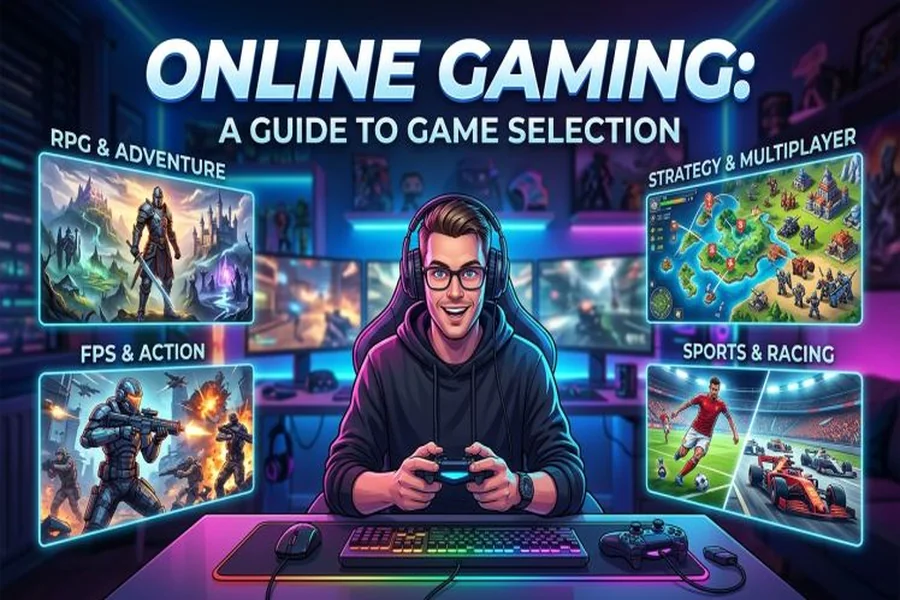
Here are some popular gaming categories to consider:
-
Action games: These games focus on quick reactions and exciting challenges.
-
Adventure games: Players explore different environments and complete missions.
-
Strategy games: These require planning and decision-making skills.
-
Puzzle games: These challenge players to solve problems and recognize patterns.
-
Sports games: These recreate popular sporting activities.
-
Simulation games: These allow players to experience realistic or creative situations.
-
Multiplayer games: These involve playing with or against other people.
You should also consider how much time you want to spend playing. Some games are designed for short sessions while others require longer periods to complete missions or participate in competitions.
Understanding your preferences gives you a useful starting point. Instead of choosing a game simply because it is popular, look for something that matches your interests and entertainment goals.
2. Check the Game’s Features and Gameplay
Gameplay is one of the most important factors when evaluating an online game. Attractive graphics and promotional videos may create a positive first impression. However, the actual experience depends on how the game works and whether its features keep players interested.
Before choosing a game, learn about its main features. Check whether it offers different levels, interesting challenges, customizable characters or multiplayer options. These elements can influence how enjoyable the experience becomes over time.
A well-designed game should have clear instructions and controls that are easy to understand. Beginners should be able to learn the basic rules without feeling confused.
It is also useful to understand how the game progresses. Some games introduce new challenges gradually while others allow players to explore different activities from the beginning.
Consider the following questions before making a decision:
-
Are the rules easy to understand?
-
Does the game offer different challenges?
-
Can beginners learn the gameplay quickly?
-
Are the controls comfortable?
-
Does the game provide enough variety?
-
Are the available features suitable for your interests?
You can often answer these questions by watching gameplay videos or reading detailed reviews.
Do not judge a game only by its appearance. A simple game with enjoyable mechanics may provide a better experience than a visually impressive game with repetitive activities.
The best choice is usually a game that combines understandable rules with interesting features and enjoyable gameplay.
3. Read Reviews and Check Player Ratings
Player reviews can provide valuable information about an online game’s quality. They allow you to understand what other people think about the gameplay and whether the platform delivers what it promises.
Before downloading or registering for a game, check its ratings on trusted application stores or reputable gaming websites. Read both positive and negative reviews to develop a balanced understanding.
Positive reviews may highlight smooth gameplay, helpful customer support and enjoyable features. Negative reviews can reveal problems such as frequent crashes, misleading advertisements or unexpected payment requirements.
However, do not depend entirely on the overall rating. A game with thousands of positive reviews may still have issues that matter to you.
Pay attention to comments about:
-
Game performance and loading speed.
-
User interface and navigation.
-
Account registration requirements.
-
Payment policies and hidden charges.
-
Technical problems and updates.
-
Customer support quality.
-
Privacy and security concerns.
It is also important to consider when a review was published. Older feedback may not reflect the current version of a game because developers frequently introduce updates and improvements.
Look for recent reviews that describe the actual gaming experience.
Be careful with suspiciously positive comments that repeat similar phrases or make unrealistic promises. Genuine reviews usually provide specific details about what players liked or disliked.
Taking a few minutes to research player feedback can help you avoid disappointing experiences and choose a game with greater confidence.
4. Choose Games That Match Your Device
Device compatibility is another important consideration when selecting online games. Not every game works smoothly on every smartphone, tablet or computer. A game may look impressive but perform poorly if your device does not meet its technical requirements.
Before downloading anything, check the minimum system requirements. These may include operating system versions, available storage space, memory and processor capabilities.
Mobile players should confirm whether a game supports their Android or iOS version. Computer users should check operating system compatibility and graphics requirements.
Internet connectivity also matters. Some multiplayer games require a stable connection to provide smooth gameplay. Slow internet speeds can cause delays and interruptions.
Consider these factors before choosing a game:
-
Check the minimum device requirements.
-
Make sure enough storage space is available.
-
Confirm operating system compatibility.
-
Review the internet connection requirements.
-
Check whether the game supports your screen size.
-
Consider battery consumption on mobile devices.
-
Look for performance feedback from other users.
You should also think about whether you prefer playing on a mobile phone or a larger screen.
Mobile games are convenient because they allow players to enjoy entertainment while travelling or relaxing at home. Computer games may offer more detailed controls and advanced graphics.
Choosing a game that works well with your existing device can save time and prevent unnecessary technical problems.
5. Prioritize Security and Privacy
Online safety should always be considered before joining a gaming platform. Many games require users to create accounts and share personal information. Some may also include chat features or connections with other players.
Before registering, review the platform’s privacy policy. Understand what information it collects and how that information may be used.
A trustworthy platform should explain its data practices clearly. Be cautious when a game requests unnecessary personal information or asks for permissions that do not appear relevant to its main features.
Use strong and unique passwords for gaming accounts. Avoid sharing login information with other players or unfamiliar websites.
Some additional security practices include:
-
Download games from official stores or trusted websites.
-
Avoid clicking suspicious links in gaming chats.
-
Never share passwords or verification codes.
-
Enable two-factor authentication when available.
-
Review account privacy settings.
-
Avoid sharing personal details with strangers.
-
Keep your device and applications updated.
Parents should also pay attention to the safety features available in games used by children. Age ratings and parental controls can help manage access to unsuitable content.
Multiplayer games may include communication with strangers. Players should avoid sharing their real address, phone number or other private information.
If a platform has unclear security policies or repeatedly requests sensitive information without a reasonable explanation, consider choosing another option.
A secure gaming environment allows players to focus on entertainment without unnecessary privacy concerns.
6. Understand Free Games and In-App Purchases
Many online games are advertised as free to play. However, some include optional purchases, subscriptions or additional features that require payment.
Understanding the payment structure before starting can help you avoid unexpected expenses.
Free-to-play games usually allow users to access basic gameplay without an initial payment. However, they may offer paid upgrades, extra characters, cosmetic items or additional levels.
Some games also include advertisements. These may appear between levels or during certain activities.
Paid games work differently. They generally require an upfront purchase or subscription before players can access the full experience.
Before choosing a game, review its payment policies carefully.
Important things to check include:
-
Whether the game is completely free or uses optional purchases.
-
Whether advertisements interrupt gameplay.
-
Whether subscriptions renew automatically.
-
Whether additional content requires payment.
-
Whether refunds are available.
-
Whether purchases provide meaningful benefits.
Set a personal entertainment budget if you decide to spend money on games. Avoid making purchases simply because limited-time offers create pressure.
Parents should also review payment settings to prevent children from making unauthorized purchases.
A game should remain enjoyable without requiring constant spending. If important features are repeatedly locked behind expensive payments, consider whether the experience offers enough value.
Remember that free entertainment does not always mean there are no costs involved. Understanding the complete payment structure helps you make informed decisions.
7. Consider Multiplayer Options and Community Features
For many players, online gaming becomes more enjoyable when they can interact with other people. Multiplayer features allow users to compete against friends or cooperate with players from different locations.
Some games focus on team-based challenges while others offer individual competitions. Choosing between these options depends on your personal preferences.
If you enjoy teamwork, look for games that include cooperative missions and group activities. These features encourage communication and coordination.
Competitive players may prefer games with ranking systems, tournaments and structured matches. However, it is important to remember that competition should remain enjoyable rather than becoming a source of unnecessary stress.
Community features can also improve the overall experience. Discussion groups, player forums and in-game messaging may help users share strategies and make new connections.
Before joining a multiplayer game, consider:
-
Whether it supports playing with friends.
-
Whether it offers private or public matches.
-
Whether communication tools are available.
-
Whether players can report inappropriate behavior.
-
Whether moderators manage the community.
-
Whether the game supports different skill levels.
A positive gaming community should encourage respectful communication. Harassment, cheating and abusive behavior can make even a well-designed game unpleasant.
Check whether the platform provides blocking and reporting tools. These features allow players to manage unwanted interactions.
If you prefer a quieter experience, single-player games may be more suitable. They provide entertainment without requiring communication or competition with others.
Choose the type of gaming environment that makes you feel comfortable.
8. Look for Good Graphics and User-Friendly Design
Visual presentation can influence how enjoyable a game feels. Good graphics, attractive animations and clear menus help create an engaging experience.
However, impressive visuals do not automatically make a game enjoyable. The overall design should support gameplay rather than distract from it.
A user-friendly interface allows players to understand menus and access important features without difficulty. Clear instructions and responsive controls are especially important for beginners.
Graphics should also match the capabilities of your device. Highly detailed visuals may look impressive but can cause performance issues on older smartphones or computers.
When evaluating a game’s design, pay attention to:
-
Clear menus and navigation.
-
Comfortable controls.
-
Readable text and instructions.
-
Smooth animations.
-
Appropriate sound effects.
-
Adjustable graphics settings.
-
Accessibility features.
Sound design can also contribute to the experience. Background music and sound effects may make certain games more engaging. However, the ability to adjust or mute audio is useful for players who prefer a quieter environment.
Accessibility is another important consideration. Options such as adjustable text sizes, subtitles and customizable controls can make games easier for different players to enjoy.
A good design should make the gaming experience comfortable and understandable. It should not force players to struggle with confusing menus or difficult controls.
9. Check Updates and Developer Support
A game’s long-term quality often depends on the developer’s commitment to maintaining it. Regular updates can improve performance, introduce new features and fix technical problems.
Before choosing a game, check whether the developer releases updates regularly. Look at the update history and read recent comments about how well the platform responds to reported issues.
Good developer support can make a significant difference when problems occur. Players may need help with account access, technical errors or payment-related concerns.
Reliable developers usually provide clear support channels and useful information about common problems.
Here are some signs of good developer support:
-
Regular software updates.
-
Clear announcements about changes.
-
Quick responses to reported problems.
-
Security improvements.
-
Helpful troubleshooting guides.
-
Active community management.
-
Transparent communication with players.
You should also check whether the game is still actively maintained. Some older games may have limited updates or inactive communities.
This does not automatically make them unsuitable. However, outdated software may create compatibility and security concerns.
If you encounter repeated technical problems and cannot find useful support, it may be better to consider another game.
Choosing a game from a developer that takes maintenance seriously can provide a more reliable experience over time.
10. Manage Your Gaming Time and Maintain Balance
Online gaming can be an enjoyable way to relax and spend free time. However, maintaining a healthy balance is important. Spending excessive hours playing games may interfere with sleep, physical activity, studies, work and personal relationships.
Before starting a new game, think about how much time you can comfortably dedicate to entertainment.
Some games encourage players to complete daily challenges or participate in limited-time events. These features can make the experience exciting but may also create pressure to play frequently.
Set reasonable gaming limits and avoid allowing virtual activities to take priority over important responsibilities.
Some practical ways to maintain balance include:
-
Set a daily gaming schedule.
-
Take regular breaks.
-
Avoid playing immediately before bedtime.
-
Complete important responsibilities first.
-
Make time for exercise and outdoor activities.
-
Maintain social connections outside gaming.
-
Stop playing when entertainment becomes stressful.
The length of a gaming session should depend on your schedule and personal needs. Taking breaks can help reduce eye strain and physical discomfort.
Parents should establish suitable gaming rules for children and monitor age-appropriate content.
It is also helpful to recognize when gaming stops being enjoyable. If you frequently struggle to control your playing time or gaming begins to affect everyday life, consider taking a break and seeking support if needed.
The purpose of online gaming should be entertainment. A balanced approach allows you to enjoy games while maintaining other important parts of your life.
11. Try Different Games Before Making a Final Choice
Sometimes the best way to find a suitable online game is to try a few options. Reading reviews and checking features can provide useful information but may not fully represent the actual experience.
Many games offer free versions, trial periods or introductory levels. These options allow players to understand the gameplay before making a financial commitment.
Start with games that match your interests and device requirements. Spend some time learning the controls and exploring the available features.
Pay attention to how comfortable and enjoyable the experience feels. A game may have excellent ratings but still fail to match your personal preferences.
You can compare different games based on several factors.
| Factor | What to Check |
|---|---|
| Gameplay | Rules and available activities |
| Graphics | Visual quality and performance |
| Security | Privacy and account protection |
| Cost | Free access and paid features |
| Compatibility | Device and operating system support |
| Community | Player behavior and communication |
| Support | Updates and customer service |
Avoid registering on multiple unfamiliar websites simply to test different games. Choose trusted platforms and review their policies first.
You should also avoid providing payment information unless you understand the platform’s charges and refund conditions.
After trying a game, consider whether it provides enough entertainment to justify the time and money involved.
There is no universal best online game for everyone. The right choice is the one that matches your interests and provides a comfortable and enjoyable experience.
Final Thought
Choosing the best online games to play requires more than looking at popularity or attractive graphics. You should consider gameplay quality, device compatibility, security, payment policies and the overall experience offered by each platform.
Start by identifying your interests and exploring games that match your preferences. Read recent player reviews and check the developer’s reputation before creating an account. Pay attention to privacy settings and avoid platforms that make unrealistic promises or request unnecessary personal information.
It is equally important to maintain a healthy balance between gaming and everyday responsibilities. Set reasonable time limits and treat online games as a source of entertainment rather than an obligation.
Ultimately, the best online game is one that makes your free time enjoyable while providing a safe and comfortable experience. Take your time to compare different options and choose something that genuinely suits your needs.
