

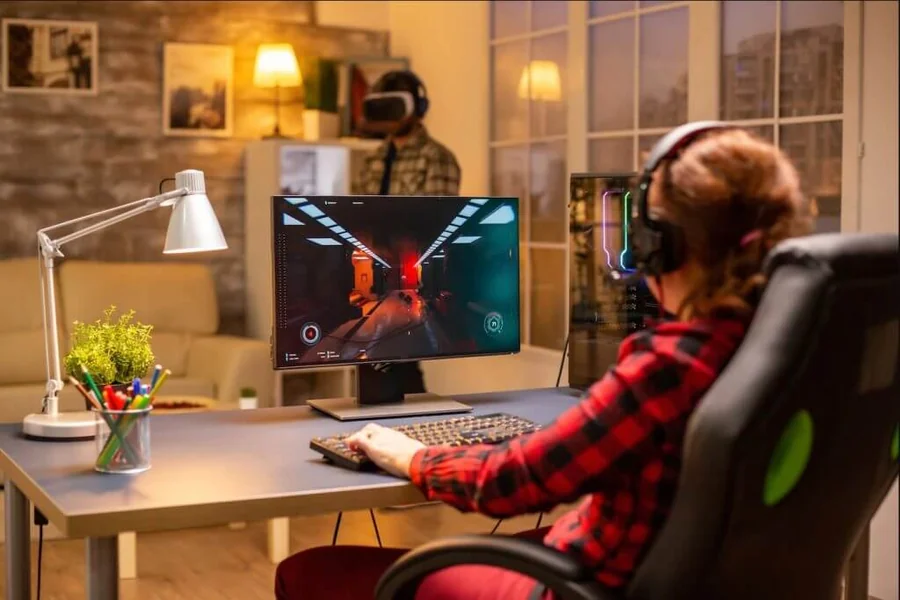
Online games are everywhere. People play them on phones during a commute. They play on consoles after dinner. They play on PCs with friends who live on the other side of the world.
If you are new to this space, the choices can feel huge. There are thousands of titles, many platforms, and a lot of unfamiliar terms.
This guide breaks it all down in plain language. You will learn what online games are, which types exist, how to get started, and how to stay safe while having fun.
What Are Online Games?
Online games are video games that use an internet connection. Some let you play with other people in real time. Others store your progress online or need a connection to run at all.
You can play them on a smartphone, a PC, a console, or even in a web browser. Many are free to start. Others need a one-time purchase or a subscription.
The big draw is connection. You can team up with friends, compete against strangers, or join a large community around a shared hobby.
Online Games vs. Offline Games
The main difference is the internet. Offline games run on your device alone. Online games depend on a connection for at least part of the experience.
| Feature | Online Games | Offline Games |
|---|---|---|
| Internet needed | Yes, fully or partly | No |
| Play with others | Often yes | Usually single-player |
| Updates | Frequent, automatic | Less frequent |
| Progress saved | Often in the cloud | On your device |
| Chat features | Common | Rare |
Many modern games mix both. You might play a story mode offline, then jump into a multiplayer mode online.
Why Online Gaming Is So Popular
Gaming has grown into a mainstream hobby. Several simple reasons explain why.
- Easy access. Most people already own a phone or a computer.
- Social connection. Games give friends a shared activity, even from far away.
- Variety. There is something for nearly every taste and skill level.
- Free options. Many free-to-play games let you start without paying.
- Constant new content. Updates and seasonal events keep games fresh.
For many players, online gaming is also a creative outlet. Some build worlds. Some design outfits and characters. Others stream or make videos about what they play.
The Main Types of Online Games
Knowing the genres helps you pick something you will actually enjoy. Here are the most common types.
Action and Shooter Games
These are fast and competitive. You react quickly, aim, and work with a team. Popular examples include battle royale games and team-based shooters.
They suit players who like speed and quick rounds. They can be intense, so expect a learning curve.
Role-Playing Games (RPGs)
RPGs let you build a character and grow stronger over time. Many include big stories, quests, and exploration. MMORPGs (massively multiplayer online RPGs) place thousands of players in the same world.
These games reward patience. They are a good fit if you like stories and long-term progress.
Strategy Games
Strategy games test planning more than reflexes. You manage resources, build armies, or outsmart opponents. Some are turn-based. Others run in real time.
They suit players who enjoy thinking ahead.
Sports and Racing Games
These bring real-world sports and motorsport into the digital space. You can play football, basketball, or racing against other players online.
They are easy to understand if you already follow the sport.
Sandbox and Creative Games
In sandbox games, you create things rather than follow a fixed path. You can build houses, design machines, or invent your own rules. Many of these games also support playing with friends.
They are friendly for beginners and for younger players, since there is little pressure.
Puzzle and Casual Games
These are simple, quick, and easy to pick up. Think word puzzles, card games, and match-style games. They often work well on mobile games platforms.
They suit short breaks and low-stress play.
Party and Social Games
Party games focus on fun with friends. You might solve a mystery together, play mini-games, or try to fool each other. They are easy to learn and good for groups.
Quick Genre Comparison
| Genre | Pace | Skill Needed | Best For |
|---|---|---|---|
| Action / Shooter | Fast | Medium to high | Competitive players |
| RPG / MMORPG | Slow to medium | Low to medium | Story lovers |
| Strategy | Medium | Medium to high | Planners |
| Sports / Racing | Medium | Low to medium | Sports fans |
| Sandbox | Relaxed | Low | Creative players |
| Puzzle / Casual | Quick | Low | Short breaks |
| Party / Social | Relaxed | Low | Groups of friends |
Choose Your Gaming Platform
Where you play shapes what you can play. Each platform has strengths and trade-offs.
Mobile Games
Mobile gaming is the easiest place to start. You already own the device. Most games are free to download. Sessions can be short.
The downsides are smaller screens, battery drain, and a heavy use of in-app purchases in some titles.
PC Gaming
A gaming PC offers the widest game library and the most control. You get better graphics, mouse and keyboard precision, and a large mod community.
The cost can be high if you want strong hardware. Many games, however, run well on modest computers.
Console Gaming
Consoles are simple to use. You plug in, sign in, and play. Games are tested for the hardware, so they tend to run smoothly.
Online play on some consoles needs a paid subscription. Check this before you buy.
Browser Games
Browser games run inside a web page. There is nothing to install. They are good for quick, casual sessions.
They are usually simpler than games on other platforms.
Platform Comparison
| Platform | Cost to Start | Game Variety | Ease of Use |
|---|---|---|---|
| Mobile | Low | High | Very easy |
| PC | Low to high | Very high | Medium |
| Console | Medium | High | Easy |
| Browser | Free | Medium | Very easy |
If you are unsure, start with the device you own now. You can always move later.
How to Start Playing Online Games
Starting is easier than it looks. Follow these steps in order.
- Pick a genre you like. Think about what you enjoy. Fast action? Calm building? Puzzles?
- Choose your device. Use what you have.
- Check the system requirements. Every game lists what it needs to run well.
- Download from an official source. Use trusted stores and launchers only.
- Create your account. Use a strong password and a real email you control.
- Play the tutorial. Most games include one. It saves time and frustration.
- Start with free or low-cost games. Learn what you like before spending money.
Check Your Internet Connection
A stable connection matters more than raw speed. Lag can ruin a match. If you can, use a wired connection for important games. If you use Wi-Fi, sit close to the router.
Close other apps and downloads while you play. They can eat up bandwidth and cause delays.
Understand Basic Gaming Terms
New players often feel lost in chat. A few common words will help.
- Lag: a delay between your action and what happens on screen.
- Ping: how fast your device talks to the game server. Lower is better.
- NPC: a non-player character controlled by the game.
- Buff / Nerf: a change that makes something stronger or weaker.
- Meta: the strategies currently seen as the most effective.
- Grinding: repeating tasks to gain levels or items.
- Respawn: returning to the game after being defeated.
Stay Safe While Playing Online
Fun comes first, but safety matters. Online games connect you with strangers. A few habits go a long way.
Protect Your Personal Information
Treat your private details as private. Never share:
- Your full name or home address
- Your school or workplace
- Phone numbers
- Passwords or login codes
- Financial or card details
Use a username that does not reveal your real identity. Avoid birth years or locations in it.
Secure Your Accounts
Account theft is a common problem. Reduce the risk with these steps.
- Use a strong, unique password for each account.
- Turn on two-factor authentication where it is offered.
- Never click strange links sent in chat or messages.
- Do not share login details with anyone, even friends.
- Be careful with websites that promise free in-game currency. Many are scams.
Download Only from Official Sources
Fake game files can carry malware. Stick to official stores and the game’s own website. Avoid cracked versions and unknown download sites. They often hide viruses.
Handle Chat and Strangers Wisely
Most games have chat or voice features. Some players are friendly. Others are rude or worse.
- Mute or block anyone who bothers you.
- Report harassment or threats through the game’s tools.
- Do not move private conversations to other apps with people you only know from a game.
- Be cautious if someone you do not know asks for personal details or gifts.
Watch for Scams and Risky Spending
Some games use in-game purchases, loot boxes, and limited-time offers. These can encourage fast, unplanned spending.
Set a spending limit before you start. Turn off one-click purchases. If you play on a shared device, remove saved card details.
Online games are also different from real-money gambling sites. If a site asks you to put in real money for a chance at a prize, treat it as a separate matter with its own legal rules and risks. Many regions restrict it by age or ban it entirely.
Tips for Parents and Guardians
Online games can be a healthy hobby for young people. They also need some guidance.
- Check age ratings. They exist to help you choose suitable games.
- Use parental controls. Consoles, PCs, and phones all offer them.
- Limit chat settings. Many games let you restrict who can talk to a child.
- Set spending controls. This helps prevent surprise bills.
- Play together sometimes. It shows you what the game is like.
- Talk openly. Make sure your child knows they can tell you about anything that feels wrong.
Rules work best when they are clear and agreed on together. Explain the reasons, not just the limits.
Build Healthy Gaming Habits
Games are designed to be engaging. That is fine in moderation. Problems start when games crowd out sleep, school, work, or relationships.
Set Time Limits
Decide how long you will play before you start. A timer helps. Take short breaks every hour to stretch, drink water, and rest your eyes.
Protect Your Sleep
Late-night sessions are tempting. They also leave you tired the next day. Try to stop playing at least an hour before bed. Your focus and mood will thank you.
Keep a Balance
Make time for other things too. Exercise, friends, family, and hobbies all matter. Gaming works best as one part of a full life.
Know the Warning Signs
Pay attention if gaming starts causing trouble. Signs can include:
- Losing track of time again and again
- Skipping meals, sleep, or responsibilities
- Feeling irritable when you cannot play
- Spending money you cannot afford
- Pulling away from family and friends
If these sound familiar, step back and talk to someone you trust. A doctor or counselor can also help if gaming feels out of control.
Benefits of Online Games
Used well, online games offer real benefits. They are not only a way to pass time.
| Benefit | How It Helps |
|---|---|
| Social connection | Builds friendships and shared experiences |
| Teamwork | Teaches cooperation and communication |
| Problem-solving | Strategy and puzzle games exercise the mind |
| Stress relief | A fun break after a long day |
| Creativity | Sandbox games encourage building and design |
| Skill growth | Reaction speed, planning, and focus can improve |
Remember that the benefits depend on how you play. Balance and good habits make the difference.
How to Improve at Online Games
Everyone starts as a beginner. Progress comes from steady practice, not from luck.
- Learn one game well. Jumping between many games slows improvement.
- Use the tutorial and practice modes. They teach the basics safely.
- Watch skilled players. Videos and streams show strategies you may not notice.
- Review your mistakes. Ask what went wrong after a loss.
- Stay calm. Frustration hurts decisions.
- Play with friendly teammates. A supportive team makes learning easier.
- Be patient. Skill builds over weeks and months.
Good sportsmanship also matters. Treat other players with respect, win or lose. It makes the community better for everyone.
Free-to-Play vs. Paid Games
Many players wonder whether to pay. Both models have pros and cons.
| Model | Pros | Cons |
|---|---|---|
| Free-to-play | No upfront cost; easy to try | Ads and in-game purchases |
| Buy-to-play | One price; fewer pressure tactics | Cost before you know if you like it |
| Subscription | Access to many games or features | Ongoing monthly cost |
A good rule is to try a free game first. If you enjoy it and want more, then consider paying. Always read what you are buying and keep an eye on recurring charges.
Quick Checklist for New Players
Use this list before your first match.
- I picked a genre I enjoy
- I chose a suitable device and platform
- I downloaded the game from an official source
- I set a strong password and two-factor login
- I used a safe username
- I played the tutorial
- I set a time and spending limit
- I know how to mute, block, and report
Frequently Asked Questions
What are online games?
Online games are video games that use the internet to connect you with other players or with game servers.
Are online games free?
Many are free to play, but some charge for the game, a subscription, or extra in-game items.
What is the best online game for beginners?
It depends on your taste. Casual, puzzle, and sandbox games are usually the easiest starting points.
Do I need a powerful computer to play?
No. Many games run well on basic computers or phones. Always check a game’s system requirements.
Are online games safe for kids?
They can be, with age-appropriate choices, parental controls, and open conversations about chat and spending.
How can I avoid lag?
Use a wired connection if possible, close background apps, and play near your Wi-Fi router.
Can online games be addictive?
Some people struggle to stop playing. Time limits, breaks, and balance help reduce the risk.
How do I protect my account?
Use a unique password, turn on two-factor authentication, and never share your login details.
Final Thoughts
Online games are a flexible and social hobby. You can play them on almost any device, in almost any style, and often for free.
Start small. Pick a genre you enjoy, learn the basics, and download only from trusted sources. Protect your personal information, manage your spending, and keep your habits balanced.
Do that, and online gaming can be fun, creative, and rewarding. Choose one game, try it for a week, and see where it takes you.
